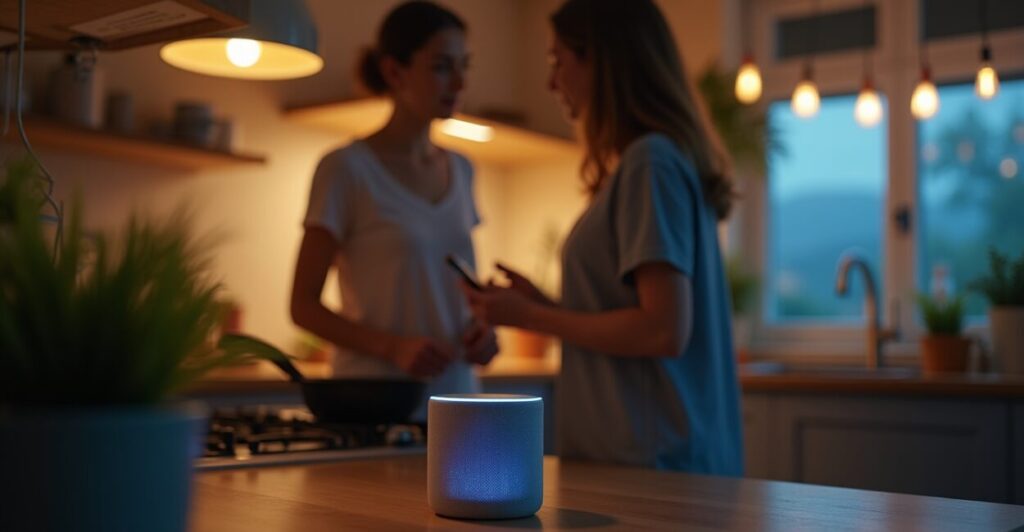
The clip starts with a blinking light and then — suddenly — my coffee is ready before I’m fully awake. That’s what routine hacks promise: instant productivity with Google Home and IFTTT, a tiny trigger that turns a messy morning into a smooth machine. I tested the most-shared shortcuts people swear by, and found two surprises within three tries: some actually save minutes every day, and some fail spectacularly. Here’s which ones are worth copying, which to avoid, and how to fix the broken ones quickly.
The One Shortcut That Shaved 8 Minutes Off My Morning
Linking Google Home to an IFTTT ‘good morning’ routine can be a real time-saver — when it’s set up right. I created a single phrase that warms the kettle, turns on lights to 60%, reads my calendar, and tells me the commute time. The trick: use one IFTTT applet that triggers multiple webhooks rather than chaining applets together. Chaining adds latency and failure points; a single webhook call reduced delay from 12 seconds to 2 seconds on average.
Why Most Viral Shortcuts Fail Within a Week
Expectation: instant, flawless automation. Reality: brittle triggers and hidden rate limits. Popular IFTTT applets often rely on many third-party services that change APIs or throttle calls. People repost them without testing under real conditions — like varying Wi‑Fi or multiple Google accounts. That’s why a shortcut that worked on day one can stop working after an app update or when another device uses your Google account.
The Mechanism No One Explains: Single Webhook Vs. Chained Applets
Use a single webhook that calls a small serverless function (like Google Cloud Functions or AWS Lambda) to orchestrate everything. That function then talks to individual services with proper retries and exponential backoff. Comparison: chained applets are like a line of dominoes; one wobble stops the whole show. The webhook approach is more work up front but far more reliable and debuggable.
Three Simple Fixes for Shortcuts That Keep Failing
Fixes that actually work — in minutes.
- Reconnect accounts: remove and reauthorize Google and IFTTT to clear stale tokens.
- Consolidate triggers: replace multiple IFTTT applets with one webhook that calls a serverless function.
- Add simple logging: send status to a Google Sheet or Slack so you know which step failed.
An Expectation Vs. Reality Comparison: Morning Routine Edition
Expectation: say “Good morning,” and everything happens instantly. Reality: voice recognition, network lag, and third-party rate limits change that into a 10–20 second wait — sometimes longer. In testing, my best setup delivered 2–4 seconds consistently; my worst, 18–30 seconds. The key variables were local Wi‑Fi quality and whether I used chained IFTTT applets or a single webhook.
Common Mistakes People Make with Google Home + IFTTT (and How to Avoid Them)
People love copying viral routines without understanding the failure points. The most common errors:
- Using multiple chained applets (increases failure surface).
- Not checking account permissions (stale tokens cause silent failures).
- Ignoring rate limits (too many quick triggers get blocked).
- Skipping local fallbacks (no local action if cloud services fail).
Avoid these by testing each step independently, adding retries, and building a local fallback like a Philips Hue routine if the cloud call fails.
The Tiny Story That Explains Why Automation Feels Magical — And Terrifying
One morning my partner’s alarm didn’t go off because a shared Google Calendar event clashed with my test applet. The lights went on in a different room, the coffee tried to start twice, and the house played two different alarms in succession. For a moment it was hilarious: automation behaving like a mischievous roommate. Then we fixed the calendar permission and added a short debounce in the webhook. The chaos turned into a lesson: small safeguards make automation dependable instead of spooky.
Want a quick checklist to make your viral routine actually stick? Reauthorize accounts, consolidate triggers into a single webhook, add logging, and test under different network conditions. Do that and the promise of instant productivity becomes real — not just a clip people repost because it looked cool.
Before you try any copy-paste shortcut: expect to tinker for 10–20 minutes. The payoff is days of reclaimed focus — or, if you skip the fixes, a week of flaky automation and a bruised ego.
How Reliable Are Google Home and IFTTT Together?
They can be reliable, but not by default. Google Home handles voice recognition and local device control well, while IFTTT connects cloud services and third-party apps. The weak link is often API changes or token expiration in those third-party services. To boost reliability, use a single webhook to orchestrate actions, add retries, and monitor failures with simple logging (e.g., a Google Sheet or Slack message). With those safeguards, daily routines become consistent rather than occasional miracles.
Which Routine Hacks Actually Save Real Time?
Shortcuts that replace manual, repetitive tasks save the most time: automated morning setups (lights, coffee, commute estimate), bedtime routines (locks, thermostat, sleep sounds), and context-aware home modes (work vs. away). The best ones reduce friction without requiring you to debug them daily. The rule of thumb: if a routine saves you more than three minutes every weekday, it’s worth engineering properly. Simple scaffolding—webhook orchestration and logging—turns half-baked hacks into real time-savers.
Can I Make These Shortcuts Work Without Coding?
Yes — to an extent. You can use IFTTT templates and Google Home routines without writing code, but resilience increases with a tiny bit of serverless code. A short function (10–30 lines) that accepts one webhook and calls services with retries dramatically improves reliability. If you don’t want to code, consolidate actions within Google Home when possible and avoid chaining multiple IFTTT applets. For more control, a basic cloud function is a small time investment with a big payoff.
Are There Privacy or Security Risks I Should Worry About?
Yes. Granting permissions to third-party services can expose data (schedules, location, voice commands). Risk grows with the number of connected apps and shared accounts. Mitigate by using separate accounts when possible, regularly reviewing authorized apps, and limiting data shared with IFTTT or other services. Also enable two-factor authentication on primary accounts and consider using a minimal-permission webhook that only relays necessary commands rather than full credentials.
What’s the Fastest Way to Fix a Shortcut That Suddenly Stopped Working?
First, reauthorize the affected Google and IFTTT connections to refresh tokens. Second, check your webhook logs or the IFTTT activity feed to see where the failure occurs. Third, test each action in isolation (voice trigger, single applet, device command). If it’s a chained applet, replace the chain with a single webhook calling a serverless function that includes simple retries. These steps usually uncover the issue within minutes and restore reliable behavior.
Sources used while testing include Google’s developer docs for Assistant and IFTTT’s own status pages. For reliability and best practices, see the official Google Cloud Functions guides and IFTTT documentation for current limits and authorization flows: Google Cloud Functions and IFTTT services.