

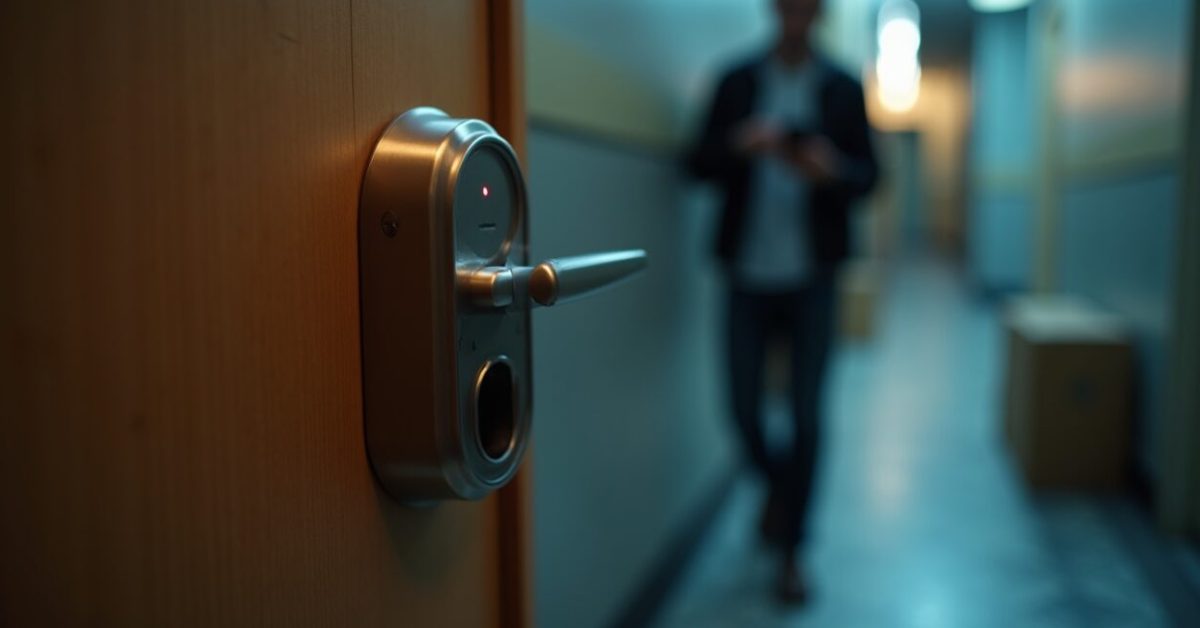

The weekend tenant across the hall just installed a smart lock without telling the landlord — and now everyone in the building texts each other keys, packages arrive with no signature, and someone’s battery died at 2 a.m. Smart locks are everywhere for a reason: they promise keyless convenience without drilling. But for renters, the gains often come wrapped in trade-offs—security myths, landlord rules, and tiny batteries that demand attention.
Why Renters Are Ditching Keys for Smart Locks (fast)
Renters want convenience, and smart locks deliver it in one small cylinder. You can grant access to a dog walker for three hours, or lock the door from the couch after a late-night delivery. That immediate control feels modern and, frankly, a little luxurious in a rental where you otherwise have no customization rights.
Adoption numbers aren’t vanity: short-term rentals and property managers report fewer lost-key headaches and faster turnovers. But the rush to buy often overlooks landlord policies and compatibility with existing deadbolts.
The Security Trade-off Nobody Explains Clearly
Here’s the blunt truth: smart locks reduce some risks and introduce others. They remove key-copy problems but can add attack surfaces like weak Bluetooth pairing, default admin codes, or cloud breaches. A physical lock still stops a thief who’s willing to kick a door; bad firmware can let a remote attacker bypass the smart features.
Expectations vs. reality: many people assume a smart lock is unhackable—expectation. Reality: the security depends on model, update cadence, and whether the owner uses strong codes or leaves two-factor off. For vetted research, see findings from NIST and industry testing summarized by Consumer Reports.
The Landlord Question: Permission, Deposits, and Stealth Installs
Installing a device that alters the door isn’t just etiquette—it’s often a lease issue. Many landlords allow non-permanent solutions, but some insist on specific brands or require reinstallation of the original hardware at move-out.
- Ask in writing. A verbal “sure” doesn’t protect you.
- Choose non-drill models to avoid losing a security deposit.
- Offer to cover reinstallation costs up front.
Never assume it’s fine—document it. That saved deposit could be the cost of a nice lock plus peace of mind.
The Battery Reality: Tiny Cells, Big Problems
Battery life is the unsung Achilles’ heel. Most smart locks last months, not years, and performance drops in cold weather. When batteries die, you either have a mechanical backup key or you’re locked out with your phone dead too.
Common solutions renters prefer:
- Models with visible battery indicator and low-battery alerts to your phone.
- External emergency contacts (like a trusted neighbor) with a code.
- Rechargeable options or standard AA battery models for easy swaps.
Practical reality: batteries create predictable panic moments—prepare for them.
Best Non-permanent Smart Locks That Actually Justify the Hype
Not all smart locks are created equal. The winners for renters are those that install over the interior thumbturn (no drilling), have solid encryption, and let you revoke access instantly. Look for:
- Over-the-thumbturn adapters that keep the existing deadbolt intact.
- Bluetooth-only options if you want to avoid cloud dependency.
- Battery designs that use common cells and show percentage left.
Comparison spotlight: an adapter-style model vs. a full replacement. Adapter = reversible, quick install, limited remote features. Full replacement = sleeker, more features, likely requires landlord sign-off. That before/after comparison explains most renters’ decisions.
Common Mistakes Renters Make (and How to Avoid Them)
People buy the coolest lock, not the one that fits their reality. The most frequent errors:
- Skipping landlord consent and losing a deposit.
- Ignoring battery spec and installing in cold climates.
- Relying solely on cloud features without a local backup.
- Using weak codes or sharing permanent guest keys casually.
A small checklist before purchase fixes 90% of these issues: compatibility, landlord ok, battery plan, backup key holder.
A Quick, Real-life Three-line Scene That Nails the Point
She installs a smart lock the morning before a long trip. At midnight, the delivery driver rings; her phone is battery-dead. Her neighbor buzzes her with a physical key she forgot to give them earlier. The next week the landlord demands the original lock back. That tiny sequence explains why a good smart-lock decision is about people and context—not just specs.
Smart locks are not a one-size-fits-all upgrade. For renters they’re a negotiation—between convenience and contracts, tech and batteries, freedom and permission. If you pick wisely, they reward you every day; pick badly, and they become a series of avoidable headaches.
Final provocation: Would you rather carry one slightly smarter piece of hardware that saves minutes every day, or keep the old key that keeps your deposit and sleep? The answer tells you whether a smart lock is a lifestyle upgrade—or a fancy risk.
Can I Install a Smart Lock Without the Landlord’s Permission?
Short answer: usually no, or at least not safely. Even non-drill, reversible smart locks can violate lease terms if the landlord requires approval for modifications. Always get written permission; include the model name, installation method, and a promise to return the original hardware when you move out. Written consent protects your security deposit and prevents disputes. If the landlord refuses, look for a portable, non-mounted option or choose not to install anything that alters the door.
What Happens If the Battery Dies—will I Be Locked Out?
Most smart locks include a mechanical backup key or an emergency power port for a temporary boost. The key tactic is redundancy: keep a hidden mechanical key with a trusted neighbor, choose locks with low-battery alerts, and bring a small external battery pack for your phone. In cold weather expect shorter battery life; swap cells seasonally. Treat battery maintenance like car fuel—ignore it and you’ll get stranded. The right model minimizes surprise lockouts through clear indicators and multiple fallback methods.
Are Smart Locks Actually More Secure Than Regular Deadbolts?
They can be, but it depends. Smart locks eliminate issues like copied keys and can log entries, which is a security plus. However, they introduce remote-attack vectors and require software updates. Security quality varies by brand: look for frequent firmware updates, strong encryption, and reputable reviews. Physical strength still matters—if the bolt isn’t robust, a smart interface won’t help. The best answer: a strong mechanical deadbolt combined with secure smart features and good user habits.
Which Smart Lock Features Matter Most for Renters?
Renters should focus on three practical features: non-permanent installation (over the thumbturn), reliable battery life with clear alerts, and easy guest access controls you can revoke instantly. Cloud storage and remote unlock are nice, but a local Bluetooth option reduces privacy concerns. Also prioritize models that use standard batteries and have a visible battery percentage. These features balance convenience with landlord constraints and reduce the chances of losing a deposit or getting stranded with a dead battery.
How Do I Choose Between Bluetooth-only and Cloud-connected Smart Locks?
Bluetooth-only locks prioritize privacy and work without internet, but you’ll need proximity to unlock and can’t grant remote access. Cloud-connected locks let you open the door from anywhere and share temporary codes, but they rely on a company’s servers and your home Wi‑Fi. For renters, Bluetooth-only models paired with a trusted neighbor for emergencies offer simplicity and fewer privacy trade-offs; cloud models are better if you frequently allow remote guests or use delivery services that need access when you’re away.