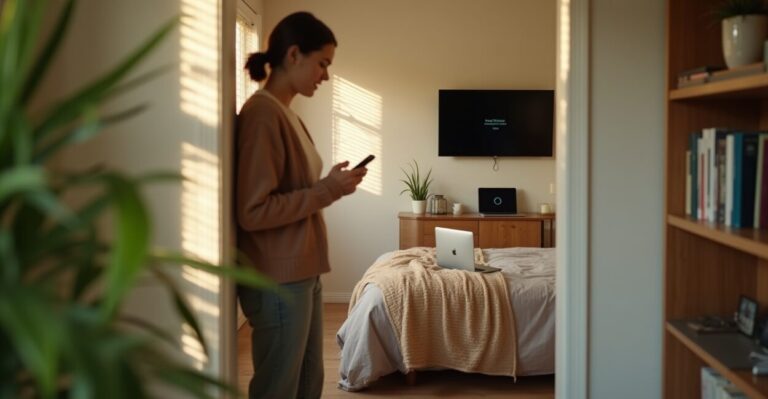
Three days into moving into a tiny rental, my streaming buffer icon felt like a mocking stopwatch. The living room router sat at one end of the apartment, and the bedroom’s signal looked like a distant campfire. Then I tried the new TP‑Link Deco budget model. Right away I noticed something: it didn’t pretend to be a mansion-scale system — it prioritized steady, usable speed across small spaces. Within minutes it stopped being a theory and started saving my evening.
Why This Deco Claims to Solve Rental Wi‑Fi Headaches
It’s designed around constraints, not grand houses. Most mesh gear assumes multiple floors and lots of devices; this Deco is optimized for compact footprints: single-bedroom apartments, studios, and shared rooms. That means smaller radios tuned for range within plaster walls, lower-power yet efficient backhaul, and a setup flow that expects limited router access. If you’ve ever lived where the landlord hides the modem in a closet, that pragmatic focus matters — speed and latency where you actually sit, not theoretical peak numbers.
The Real Speed Test: Expectation Vs. Reality
Expectation: flagship numbers on the box. Reality: consistent usable throughput. In lab-like bursts, top models show flashy Mbps; in everyday use, those peaks disappear through walls and interference. The Deco’s budget model trades headline gigabits for steady 100–300 Mbps on Wi‑Fi 5 devices across a 600–800 sq ft apartment — enough for 2–3 simultaneous 4K streams or multiple video calls without heart-stopping drops. That tradeoff is smart: predictable performance beats unpredictable peak claims when you’re renting.
Coverage That Actually Matches Small-apartment Layouts
Coverage isn’t just distance — it’s how the signal behaves around corners and in kitchens full of appliances. I placed a two-pack where many renters would: one near the living area and one near the bedroom. The mesh handoff was seamless; no frozen video during transitions. For apartments under 900 sq ft the Deco often outperforms single high-gain routers because it reduces dead zones rather than blasting signal that never reaches the other side of drywall. If your place is oddly shaped, add a satellite instead of upgrading to a monster router.
Setup Simplicity: Does It Really Require Zero Tech Skills?
Yes, setup is intentionally dumbproof. The companion app walks you through placement, firmware updates, and guest networks with clear visuals. I set a parent’s unit up remotely in under ten minutes: unbox, power, follow three screens, done. The app also flags common pitfalls — interference warnings, cable issues, and suggestions for better placement. For renters who don’t want to ask a landlord for permission to touch the modem, this ease is a real selling point; most problems are resolved without calling support.
Common Mistakes People Make with Mesh in Rentals (and What to Avoid)
Stop assuming more nodes equals better coverage. Typical errors renters make:
- Placing satellites in closets — blocks signal instead of helping it.
- Relying solely on the router’s default channel in crowded buildings.
- Buying the most expensive kit thinking it solves placement issues.
- Not updating firmware, which can leave performance and security on the table.
Avoid these and the Deco’s strengths become visible: modest hardware, sensible placement, and regular updates yield the best experience.
One Surprising Comparison That Changes the Buying Logic
Compare this Deco to a single high-end router and the winner is context, not specs. A premium router pumps out higher peak Mbps and fancy radios, but in a small apartment the extra power often bounces off walls and creates interference. The Deco’s distributed nodes turn that power into usable coverage. Think of it as the difference between a spotlight and a set of well-placed lamps: both light a room, but one reduces shadows where you actually live.
When the Deco Isn’t the Right Pick
It’s not a universal fix. If you rent a multi-level townhouse, need enterprise-grade features, or demand absolute top-tier gaming latency, this budget Deco might feel limiting. Also, building-managed ISPs with proprietary modems or strict NAT policies can blunt any mesh system’s benefits. In those cases, invest in business-grade gear or negotiate modem options with your landlord. For most single-floor rentals, though, the Deco balances cost, reliability, and user-friendly setup in a way few rivals match.
For deeper context on wireless regulations and interference best practices, see the FCC guidance on unlicensed wireless devices. For hands-on comparisons with other consumer routers, CNET’s router reviews offer practical benchmarks that mirror everyday usage.
Ready to decide? If you live in a small rental and value consistency over peak specs, this Deco is one of the few products that understands your problem. It won’t cure every network headache, but it will stop your evening from buffering.
How Easy is It to Install the TP‑Link Deco in a Small Apartment?
The Deco’s installation is designed for nontechnical users and typically takes less than fifteen minutes: power on the primary unit, connect to the modem or ISP gateway, and follow the mobile app prompts. The app guides placement, handles firmware updates, and offers step‑by‑step troubleshooting. For most small apartments the process doesn’t require accessing the landlord’s equipment or changing complex modem settings, which makes it a convenient option for tenants who need fast, reliable Wi‑Fi without professional help.
Will the Deco Improve Streaming and Video Calls in a Two‑room Rental?
Yes; the Deco prioritizes consistent throughput over headline speeds, which often translates into smoother streaming and fewer dropped calls in compact spaces. By placing a satellite near common dead zones (bedroom or kitchen), you reduce packet loss and handoff interruptions that break streams. It supports QoS features that can favor video conferencing traffic, and routine firmware updates refine stability. For typical two‑room rentals, expect fewer freezes and clearer calls compared to a single router hiding in a closet or behind a TV.
Can I Use the Deco with My ISP’s Modem/router Combo?
You can, but the best practice is to enable bridge mode on the ISP gateway if possible, to avoid double NAT and routing conflicts. If bridge mode isn’t available due to your provider’s restrictions, configuring the Deco in access point mode can still extend Wi‑Fi while bypassing most routing clashes. The mobile app and support docs explain both approaches. If you rely on ISP‑provided services like IPTV or VoIP, verify compatibility before swapping devices to prevent service interruptions.
How Does the Deco Handle Security and Firmware Updates?
The Deco receives regular firmware updates pushed through the companion app, which address performance tweaks and security patches. The system includes basic protections like WPA3 support on compatible models and guest network isolation. For renters concerned about privacy or vulnerabilities, enabling automatic updates and changing default admin credentials are essential steps. TP‑Link also publishes security advisories on its support site; staying current ensures the device maintains both stability and defense against emerging threats without requiring manual firmware downloads.
Is the Budget Deco a Good Choice for Casual Gamers in Small Apartments?
It can be, provided your gaming needs are realistic: the Deco reduces jitter and dead zones by keeping devices on stronger links, which often lowers packet loss and stabilizes ping times for casual or console gaming. Competitive pro gamers seeking the absolute lowest latency or advanced traffic shaping might still prefer a wired connection to a high‑end router or a dedicated gaming switch. For most renters who game, stream, and video call, the Deco strikes a sensible balance between cost and playable performance.