

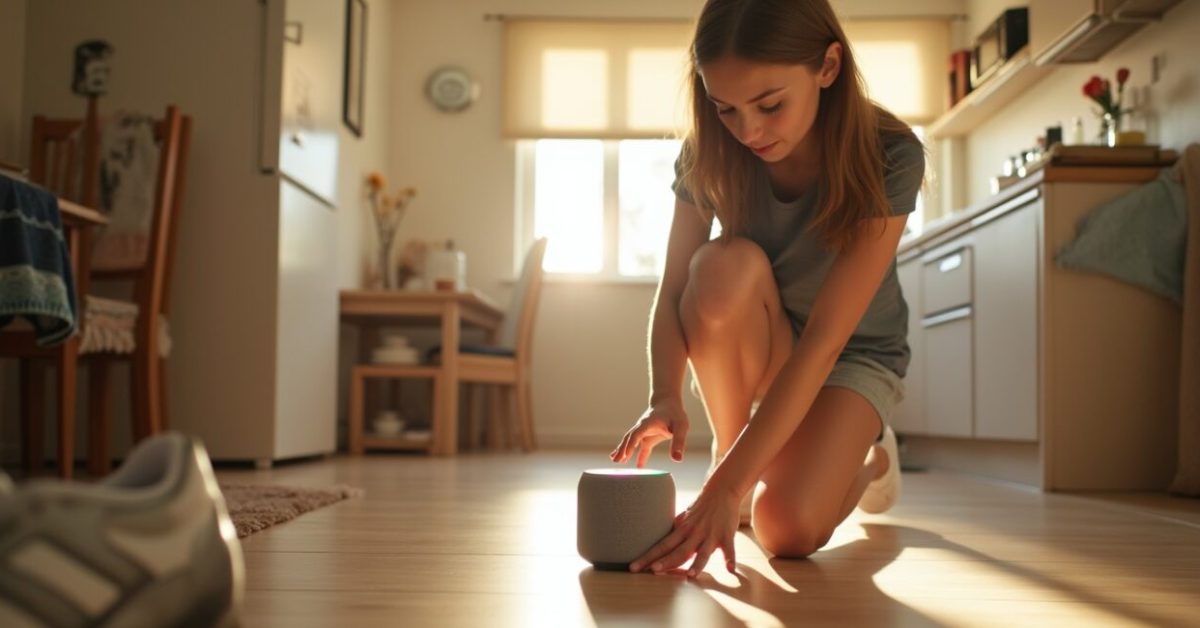

The morning I tripped over my kid’s soccer cleat and watched half the house lights flick on, I realized the new Google Home routines aren’t just checkbox features — they’re a chance to stop babysitting your home. Google Home now lets routines trigger with more context, multiple cues, and third-party services in ways that actually make life simpler, not more annoying. If you own a smart speaker or a Nest thermostat, these changes could shave minutes — and daily friction — off tasks you repeat without thinking.
The One Change That Will Actually Get Homeowners Excited
Routines are no longer single-button tricks — they behave like small brains. Instead of firing only at a set time or voice command, routines can now chain conditions: location, device state, and even other routines. That means your “Good Night” can wait until the front door locks and the Nest reports a cool temperature, then run. For families, this reduces false triggers and duplicates; for busy people, it replaces a checklist. Expect fewer accidental wake-ups and more routines that feel intelligent, not intrusive.
Real Benefits You’ll Notice in the First Week
Within days you’ll feel the difference in three ways: fewer manual fixes, fewer forgotten tasks, and less cognitive load. Imagine leaving for work and knowing all lights, plugs, and the coffee maker are handled — without a frantic check. Routines can now confirm a state before acting, so your smart lock isn’t told to lock again while you’re still putting shoes on. Practical wins include energy savings, reduced morning stress, and a living space that reacts to what you’re doing rather than presuming it.
The Mechanism Nobody Explains: Context-aware Triggers
Context is the hidden upgrade here. Previously routines were “if time X then do Y.” Now they accept compound triggers: motion plus sunset, phone location plus a calendar event, or a device state plus weather. That means actions can be gated: only run the air purifier routine if indoor air quality is poor, or start a workout playlist only when your phone is in the gym and your watch is active. This moves automation from simple timers to situational awareness — a small but powerful shift.
IFTTT Pairings That Turn Ideas Into Instant Wins
Pairing Google Home with IFTTT unlocks third-party services fast. Try these safe starters:
- When your phone leaves home (IFTTT Location) → Google Home routine: arm lights off + lock doors.
- When the local forecast calls for rain → Google Home routine: close smart blinds + remind to bring an umbrella.
- When your calendar shows “Vacation” → Google Home routine: set thermostat eco mode + enable security lighting schedule.
Expectation Vs. Reality: What Actually Changes and What Doesn’t
Expectation: all devices will magically understand each other. Reality: the upgrade improves coordination, but compatibility still depends on manufacturers and permissions. In practice, most major devices (Nest, Philips Hue, August locks) benefit immediately; niche devices may lag. The side-by-side comparison is striking: before — routines fired blindly; after — routines check preconditions and avoid redundant commands. That reduces errors like lights toggling twice or thermostats jumping modes. The net result is less noise and more dependable automation.
Common Mistakes Homeowners Make (and How to Avoid Them)
Don’t over-automate. A common error is bundling too many actions into one routine; when one action fails, the whole chain feels broken. Avoid: 1) making multi-room routines without testing each device; 2) relying solely on time-based triggers for variable situations; 3) skipping permission checks for third-party services. Instead, build routines incrementally, test after each addition, and keep a fallback step (like a short voice confirmation). You’ll get reliability without drama — and revert changes faster when needed.
A Three-line Scene That Proves It Works
She left for work; Google Home waited until the back door closed and the Nest hit away mode. Then the lights dimmed, the coffee maker entered standby, and a message went to her phone: “House secured.” No button-pressing, no frantic double-checking at the driveway. That small sequence saved five morning minutes and one epic worry — and it came from chaining context-aware triggers with a simple IFTTT check.
For more on smart-home behavior and privacy norms, see research on home IoT usage at the National Institute of Standards and Technology and coverage of smart-home trends by leading technology outlets.
Ready to test? Start with one routine that replaces a habit you already have — brushing teeth, leaving home, or bedtime — and give it a week. If it behaves, add one more condition. If it misfires, remove the newest change. That’s how automation becomes helpful, not annoying.
How Do I Connect IFTTT to Google Home for the First Time?
To connect IFTTT to Google Home, open the IFTTT app or website and search for the Google Assistant and Google Home services, then follow the authorization prompts to link your Google account. After linking, create an Applet: choose a trigger (like “When I leave home”) and set the action to call a Google Home routine or send a webhook to your smart devices. Test the Applet immediately to ensure permissions, location services, and device names match; adjust as needed for reliability and privacy controls.
Will These Routines Work Without a Nest or Other Google Devices?
Yes, many routines will work without Nest hardware, but features vary by device ecosystem. Google Home routines run on your Google account and can control compatible third-party devices through cloud integrations or IFTTT. However, certain context-aware features (like thermostat-specific states or Nest-aware away detection) perform best with Nest devices. If you rely on presence or advanced sensors, expect better accuracy with native Google hardware. You can still build useful automations with smart bulbs, plugs, and voice assistants alone.
Can Routines Save Me Money on Energy Bills?
Routines can reduce energy use by automating thermostats, lights, and high-draw devices during idle hours. For example, a routine that switches to eco thermostat mode when your phone leaves home or after midnight can cut heating and cooling waste. The savings depend on your home, climate, and habits, but automated, condition-based control—only running HVAC when needed—typically lowers consumption more than fixed schedules. Pair routines with energy reports from your utility or smart plugs to measure impact and iterate for maximum benefit.
What Privacy Risks Should I Be Aware of with Context-aware Routines?
Context-aware routines rely on data like location, device states, and calendars, which raises privacy considerations. Ensure you understand which services have permission: check account-linked apps and third-party services like IFTTT, and limit data sharing to what’s necessary. Use Google account security settings to review connected apps and revoke access if unsure. Keep firmware updated on devices and enable two-factor authentication to reduce risks. Thoughtful permission management prevents routines from becoming an inadvertent data leak.
How Can I Debug a Routine That Keeps Misfiring?
Start by isolating the problem: disable all but one action and test the trigger repeatedly. Check device names, network connectivity, and whether the routine’s preconditions are actually met (location accuracy, sensor status, device availability). Consult activity logs in the Google Home app and IFTTT history if used. If a device lacks a reliable cloud connection, move it to a more stable network or replace it. Finally, recreate the routine from scratch; rebuilding often exposes a misnamed device or permission glitch that causes misfires.