

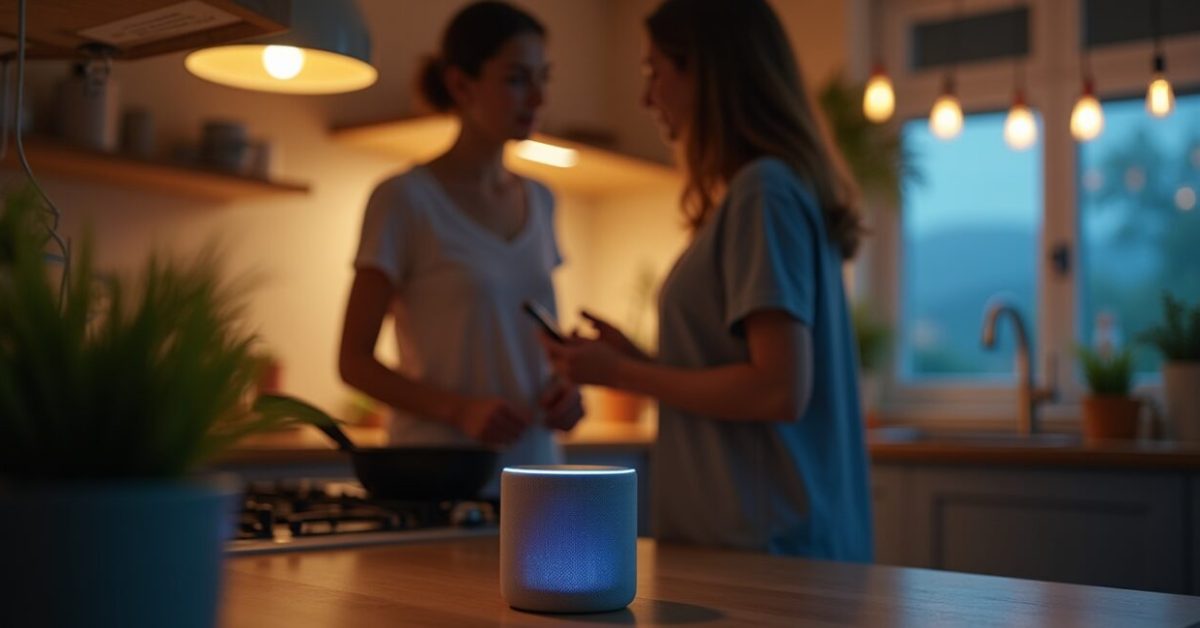

You’re halfway through making dinner when your phone pings: the living room lights dim because your Google Home detected “movie time” on your calendar. That tiny chain—calendar → Google Home → smart lights—was built in five minutes with IFTTT automations, and it’s exactly why people are suddenly obsessed. These chains are no longer geek toys; they’re becoming the duct tape of everyday life.
IFTTT automations show up in headlines because they make small, repeatable chores invisible. In the next few minutes you’ll see quick wins you can implement tonight, surprising use cases that feel like magic, and a clear sense of whether it’s worth setting them up now.
Why Everyone’s Talking About IFTTT Automations Right Now
IFTTT went from hobbyist playground to everyday utility. Two things changed: more services added reliable triggers and Google Home opened simpler rule integrations, so automations actually work for non-tech people. The result is a sudden spike in useful, low-friction automations that save time instead of creating headaches.
Practical impact: routines that used to require expensive hubs or complex scripts now run from a phone app. That’s why adoption curves look steeper than before—usefulness finally surpassed novelty.
The One Quick Automation That Pays for Itself in a Week
Set a “leaving home” applet: when your phone leaves a specified geofence, turn off lights, lock smart locks, and pause streaming on smart TVs. It sounds small, but the energy and subscription savings compound quickly.
- What it takes: 5 minutes to set up in IFTTT and Google Home.
- Why it works: removes forgetfulness—your devices behave like an efficient co-worker.
- Result: lower bills, fewer accidental nights of streaming, less anxiety about whether you locked the door.
The Mechanism Nobody Explains: Triggers, Actions, and Delays That Make Automations Human
Most explanations stop at “trigger → action.” Here’s the missing piece: timing and context. Using delays, time windows, or combining triggers (calendar + location + voice) turns brittle scripts into reliable helpers. That composability is where IFTTT and Google Home rules become indistinguishable from human intuition.
Example: a trigger “weekday morning + weather is rainy” that nudges your phone with “take an umbrella” is more human than a simple forecast alert.
Surprising Use Cases People Aren’t Trying (but Should)
Beyond lights and music, IFTTT automations shine in overlooked places:
- Medication/health nudges: link calendar events to voice reminders via Google Home.
- Property management: if a sensor detects motion while you’re away, post a message to a private Slack channel.
- Creative workflows: auto-save starred emails to a notes app and trigger a nightly digest read-aloud.
These are small automations with outsized returns—less stress, fewer missed tasks, and often a safer home.
Expectation Vs. Reality: A Quick Comparison
Expectation: automations will be flaky and require constant babysitting. Reality: simple, well-scoped applets are stable and low-maintenance. Think of it like this:
| Expectation | Reality |
|---|---|
| Brittle scripts you must debug | Reliable triggers with time/context filters |
| Only for power users | Most people can set up useful rules in 5–10 minutes |
The trick is to start tiny and measure value: one automation, one week.
What to Avoid: Common Mistakes That Break the Magic
People love to tinker and accidentally create fragile systems. Avoid these errors:
- Over-automation: chaining too many dependencies makes failure inevitable.
- No fallback plan: automations that assume perfect connectivity leave you stranded.
- Ignoring permissions: apps needing broad access can expose data or stop working without notice.
Start with one core routine, test it for a week, and only expand when it’s rock solid.
Should You Set Up IFTTT Automations Today? A Practical Verdict
If you want immediate quality-of-life improvements, yes—but be strategic. Use Google Home rules for voice and household context, and IFTTT for cross-service connections that Google Home doesn’t natively support. Set realistic goals: save time, reduce friction, and protect privacy.
Resources to get started: check official docs and reliability notes on provider sites; for example, see platform updates from Google and broader integration guidance from technology research outlets such as The New York Times and studies on consumer IoT adoption at NCBI.
Mini-story: A friend set up a “bedtime” sequence—lights dim, thermostat lowers, white noise starts. First night it felt gimmicky; by week two they noticed better sleep and no midnight trips to adjust settings. That tiny automation became a habit that improved rest without effort.
IFTTT automations aren’t a silver bullet, but they’re the new small habit that compounds. If you care about saving minutes and stress, invest an hour now and let the rules do the rest.
How Secure Are IFTTT Automations with Google Home?
Security depends on how you configure permissions and which services you connect. Use account-specific credentials, enable two-factor authentication on linked accounts, and avoid granting wide access to sensitive services. Keep automations simple—don’t route private data through public channels—and periodically review app permissions inside IFTTT and Google account security settings. If you manage smart locks or cameras, prefer automations that require explicit confirmation (voice PINs or time-limited approvals) rather than fully autonomous actions to minimize risk.
Which Automations Give the Fastest Payoff for Busy People?
Focus on routine pain points: “leaving home” power-down sequences, “arriving home” comfort settings, and calendar-linked do-not-disturb rules for focused work. These automations reduce friction immediately because they remove repetitive decisions. Start with one that saves money (lights/thermostat) and one that saves attention (auto-silence notifications during meetings). Test for a week to see measurable benefits—lower energy bills or fewer interruptions—and expand only after those first wins stick.
Can IFTTT Automations Work Offline or During Outages?
Most IFTTT applets and Google Home routines rely on cloud services, so they typically fail during internet outages. For critical functions, prefer local processing: some smart hubs and devices support LAN-based automations that run without internet. Design automations with fallbacks—like default device states when connectivity is lost—or keep essential features manual. If reliability matters (security systems, locks), choose integrations that explicitly support local control or have redundant communication paths to avoid painful single points of failure.
How Do I Troubleshoot an Automation That Keeps Failing?
Start by isolating the components: test the trigger alone (does Google Home see the calendar event? does IFTTT register the webhook?), then test the action directly on the device. Check logs in the IFTTT app and verify connected account tokens haven’t expired. Simplify the rule—remove delays and secondary conditions—to find the failure point. If the automation involves third-party APIs, consult their status pages for outages. Finally, rebuild the applet from scratch; often small configuration drift causes persistent failures.
Will Automations Invade My Privacy or Sell My Data?
Privacy risk depends on services and permissions. IFTTT and Google have privacy policies outlining data use, but connected third-party apps may collect metadata. Limit exposure by granting the minimum permissions needed, avoid linking sensitive accounts, and periodically audit which applets are active. For highly personal data, prefer local device automations or vendors with clear data-handling commitments. If privacy is a priority, read provider privacy statements and consider using separate accounts or limited-access tokens for automations.